


Why does Ubuntu mount NAS SMB folders but permissions do not match?
Last modified date:
2023-03-06
Applicable Products
All NAS Series
Scenario
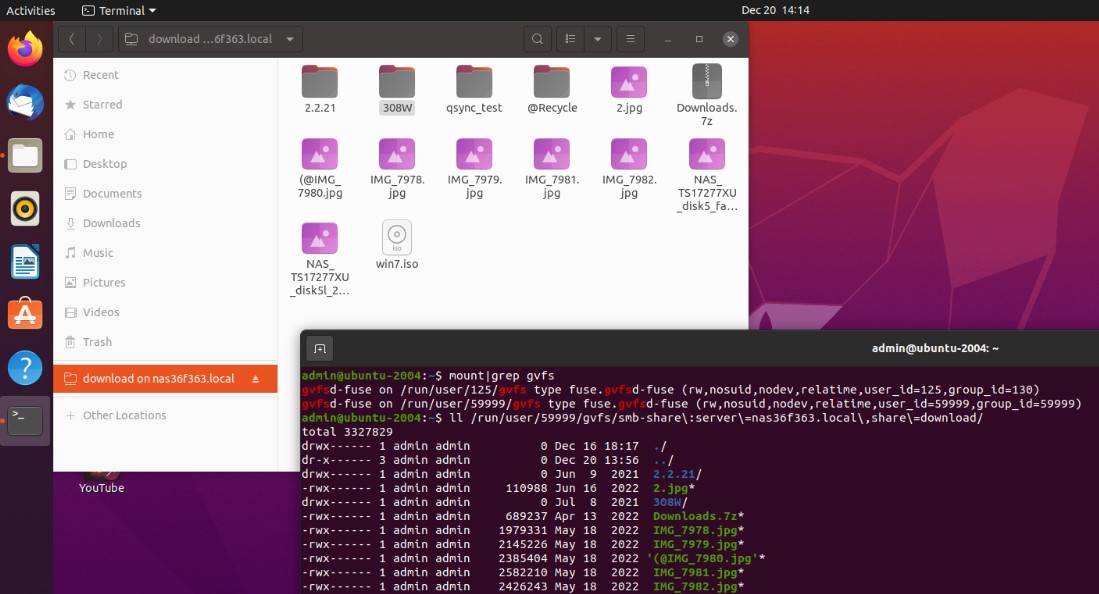
After mounting SMB folders in Ubuntu desktop, permissions do not match the NAS settings which showed no permission.
This is caused by Ubuntu desktop using gvfs to mount SMB which is not supported by QTS.
Workaround
Use the following command to mount SMB folders, ensuring that you replace NAS_SHARE_PATH and LOCAL_MOUNT_PATH with your respective values. See the screenshot for a full example.
sudo mount –t cifs –o rw,vers=3.0,credentials=/root/.examplecredentials //NAS_SHARE_PATH /LOCAL_MOUNT_PATH
ยังต้องการความช่วยเหลือหรือไม่
โพสต์คำถามของคุณใน QNAP Community เจ้าหน้าที่ QNAP และผู้ใช้ที่มีประสบการณ์จะตอบกลับ


