Music Station
Terabytes of music on the cloud
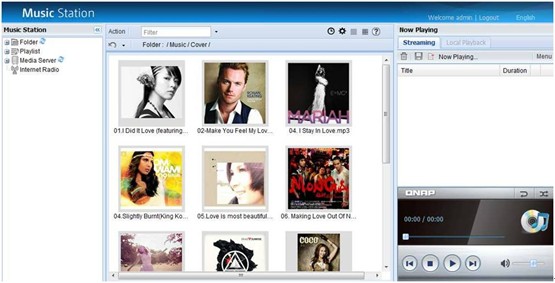
The Music Station is a convenient way to bring terabytes of music collection to the cloud. Simply upload music to the Turbo NAS, and it is available for listening via a web browser.
Organize and play
No additional software installation is required; the Music Station works with famous web browsers such as Internet Explorer, Chrome, Firefox. The music can be played by album or by personalized playlist. Album cover art is supported for easy recognition and selection.
While the music is playing, song title, artist, album, and genre are clearly displayed on the page. Random and continuous playback options are available to choose.

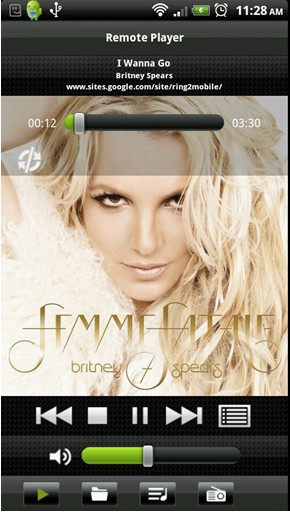
The Turbo NAS owner can connect a pair of USB speakers and use the QMobile app to remotely control music playback. No PC is needed anymore in order to enjoy the great amount of music collection. Audiophiles who are sensitive with sound quality can replace the USB speakers with Hi-Fi speakers by bridging a supported USB audio adapter in between.
Centralized music streaming center
Thanks to the UPnP capability, the Music Station can stream music from any UPnP-enabled device or Windows PC that has Windows Media Player 11 installed.
Thousands of Internet radio stations
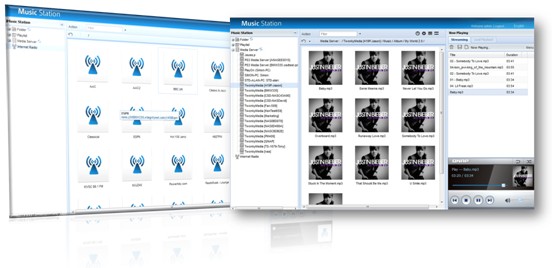
Enjoy thousands of Internet radio stations of various genres from all over the world by manually adding them to the Music Station.
Share with friends and family
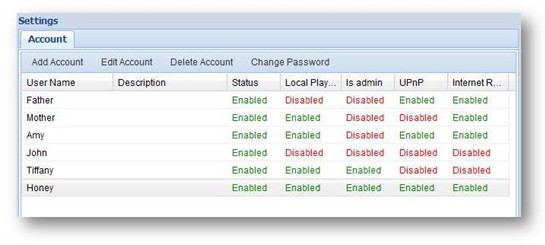
The Turbo NAS owner can share the music library with up to 1,024 friends and family members. A thoughtful configuration page is provided so the owner can flexibly choose the services, such as local music library playback, UPnP device streaming, Internet radio streaming, to allow or disallow.
Music alarm
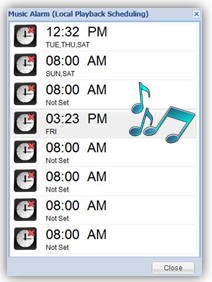
Tired of annoying alarms every morning? Configure the music alarm on Music Station and wake up with the music of your choice. The alarm can be stopped by pressing the “Copy” button on the Turbo NAS front panel or with the QMobile.