


Why cannot I add new QNAP ID in the Access Control list of MyQNAPcloud Settings?
最終更新日:
2023-04-26
Applicable Products
myQNAPcloud
Scenario
I added a new QNAP ID(e-mail) account into the Accss Control List of my NAS myQNAPcloud settings and then clicked on Apply button.
However, I go back to check the list and find that the new QNAP ID has not been added yet.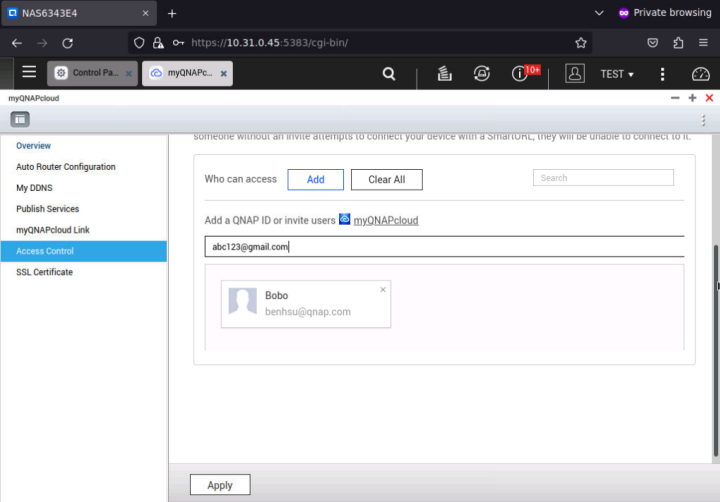
Solution
1. Add the QNAP ID in the blank again
2. Zoom out the web page resolution to 90% or 80%. 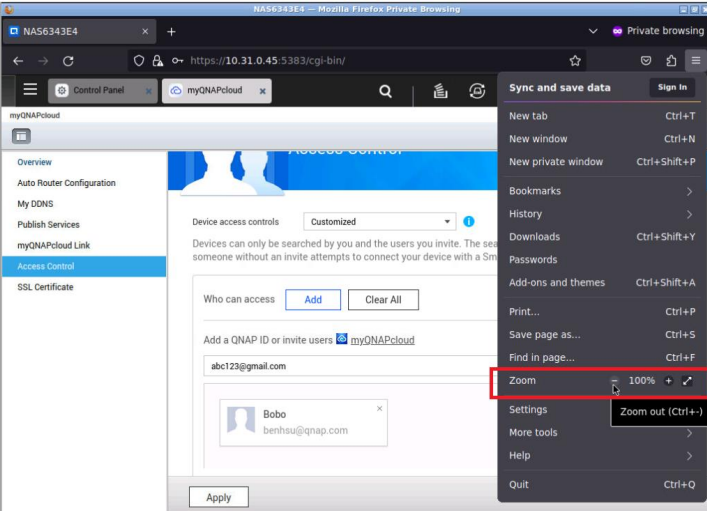
3. You will find the Tick sign at the right-hand side of the blank. Please click on it.
4. Click in Apply again.
5. Leave this page and then go back this page. Then you shoild see your new QNAP ID is in the list.
まだ解決しませんか?
QNAP コミュニティに質問を投稿してください。QNAP スタッフや経験豊富なユーザーが回答します。


