


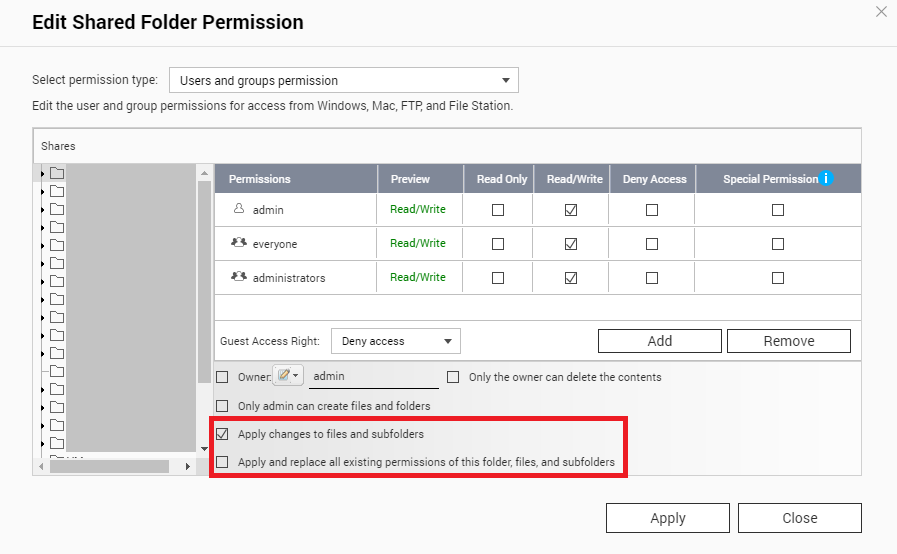
What is the different between "Apply changes to files and subfolders", "Apply and replace all existing permissions of this folder, files, and subfolders"?
Applied models:
-
All NAS Series
Applied Firmware:
-
All QTS Firmware Versions
The Apply changes to files and subfolders:
Apply permissions settings except owner protection and root folder write protection settings to all the files and subfolders within the selected folder. These settings include new users, deleted users, modified permissions, and folder owner. The options "Only the owner can delete the contents" and "Only admin can create files and folders" will not be applied to subfolders.
The Apply and replace all existing permissions of this folder, files, and subfolders:
Select this option to override all previously configured permissions of the selected folder and its files and subfolders except owner protection and root folder write protection settings. The options "Only the owner can delete the contents" and "Only admin can create files and folders" will not be applied to subfolders.
Related Articles:
まだ解決しませんか?
QNAP コミュニティに質問を投稿してください。QNAP スタッフや経験豊富なユーザーが回答します。


