


How can I directly make a Smart Share link on myQNAPcloud to share the file on my NAS?
Date de la dernière modification :
2021-11-26
Applicable Products:
- myQNAPcloud
-
Follow the guide to set up myQNAPcloud service
-
Sign in myQNAPcloud service
-
Click on shared folders and login with NAS username/password

-
Locate the folder you want to create sharelink and press share
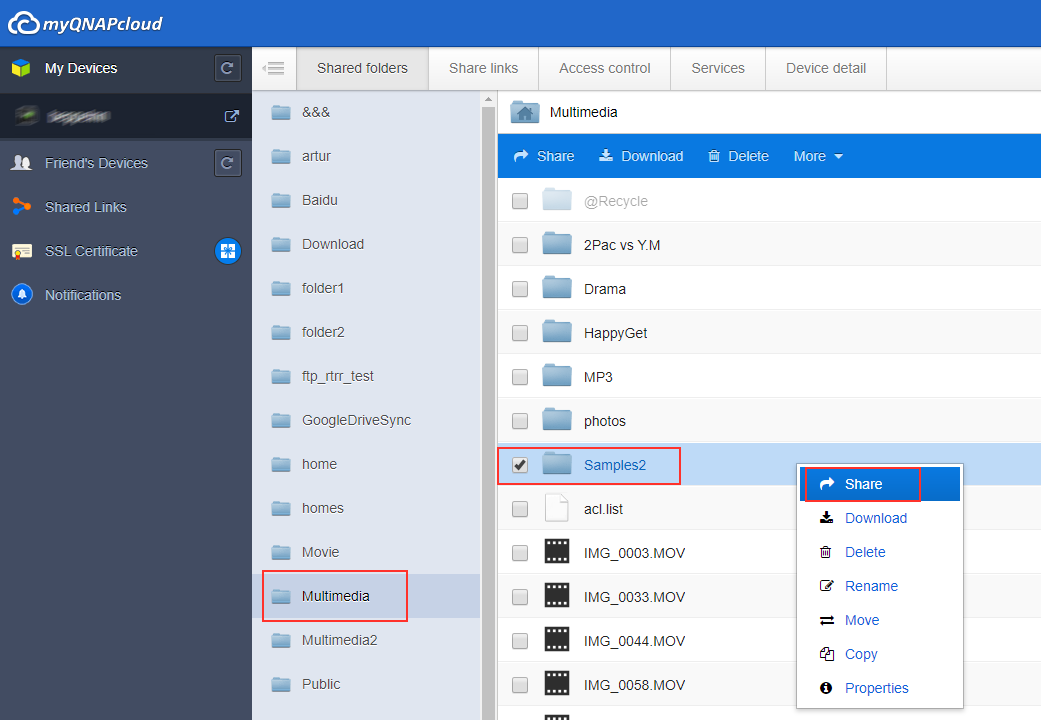
-
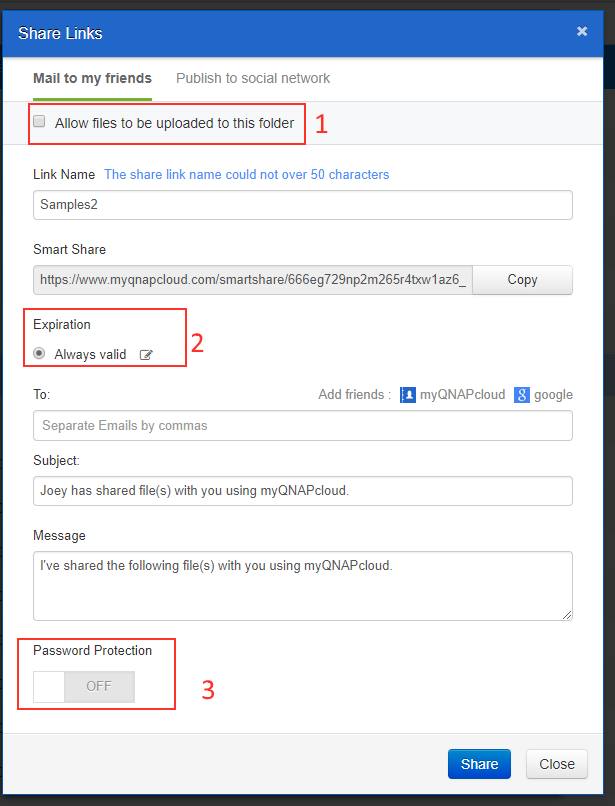
In the setting page, you can set up the following options.
- Allow viewer to upload the files to this folder
- Set up Expiration date
- Set up Password Protection
-
Copy Smart Share link to others.

Est-ce que cet article a été utile ?
33% des utilisateurs pensent que ces informations sont utiles.
Besoin d'aide supplémentaire?
Posez votre question dans la communauté QNAP. Le personnel QNAP et des utilisateurs expérimentés vous répondront.


