


How to create a guest network VLAN without allowing access to LAN connected devices on QHora-301W?
-
QHora-301W Firmware version: 1.5.6.0001
Below steps will allow you to create a guest VLAN that is not allowed to access the devices connected on the default VLAN.
1. Create a new VLAN ID in Network > VLAN.
For example, set it as VLAN 100 then set the IP range to for example 192.168.102.1/24 and enable DHCP server. If you don't know how to set it, refer to guest wireless network VLAN4094 for reference.
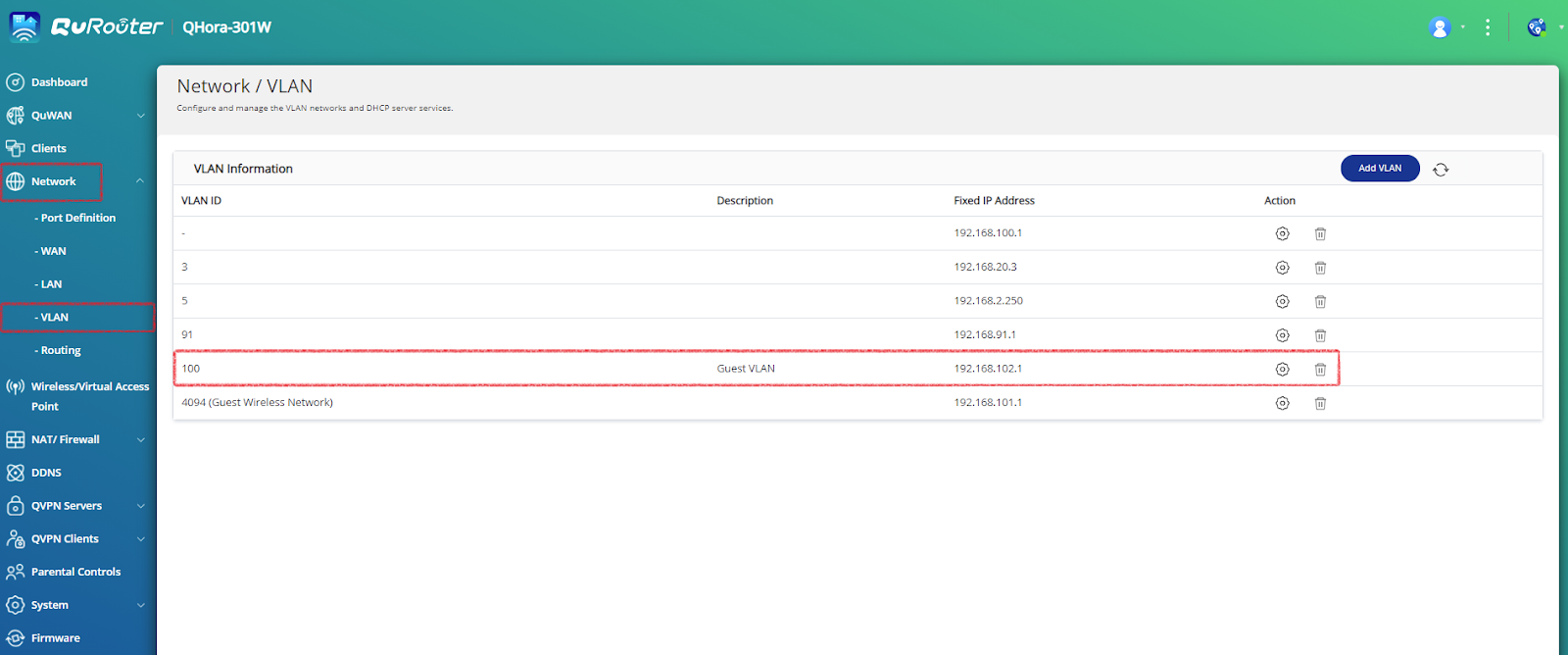
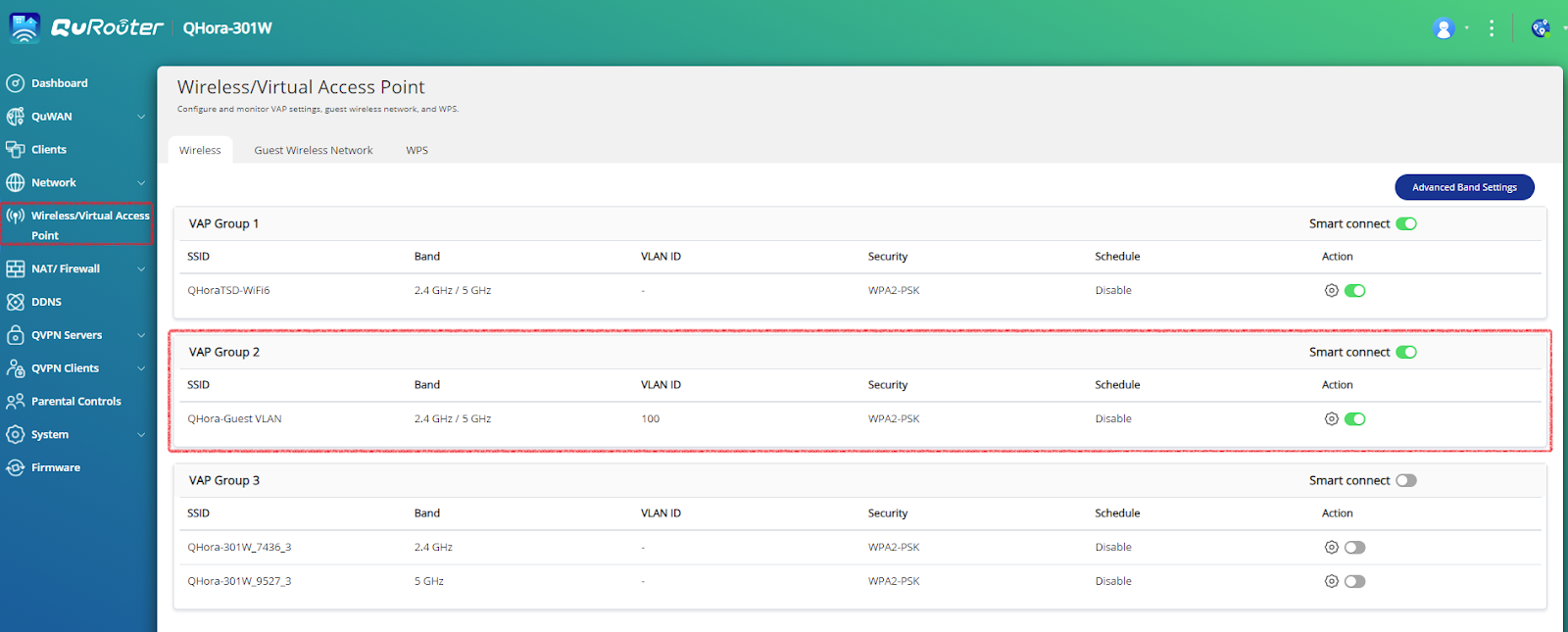
2. Go to Wireless/Virtual Access Point (VAP), use your VAP group 2 or 3 and then edit, select the VLAN ID you've just created.
3. Add a Firewall rule from these 2 VAP groups. See below example as reference.
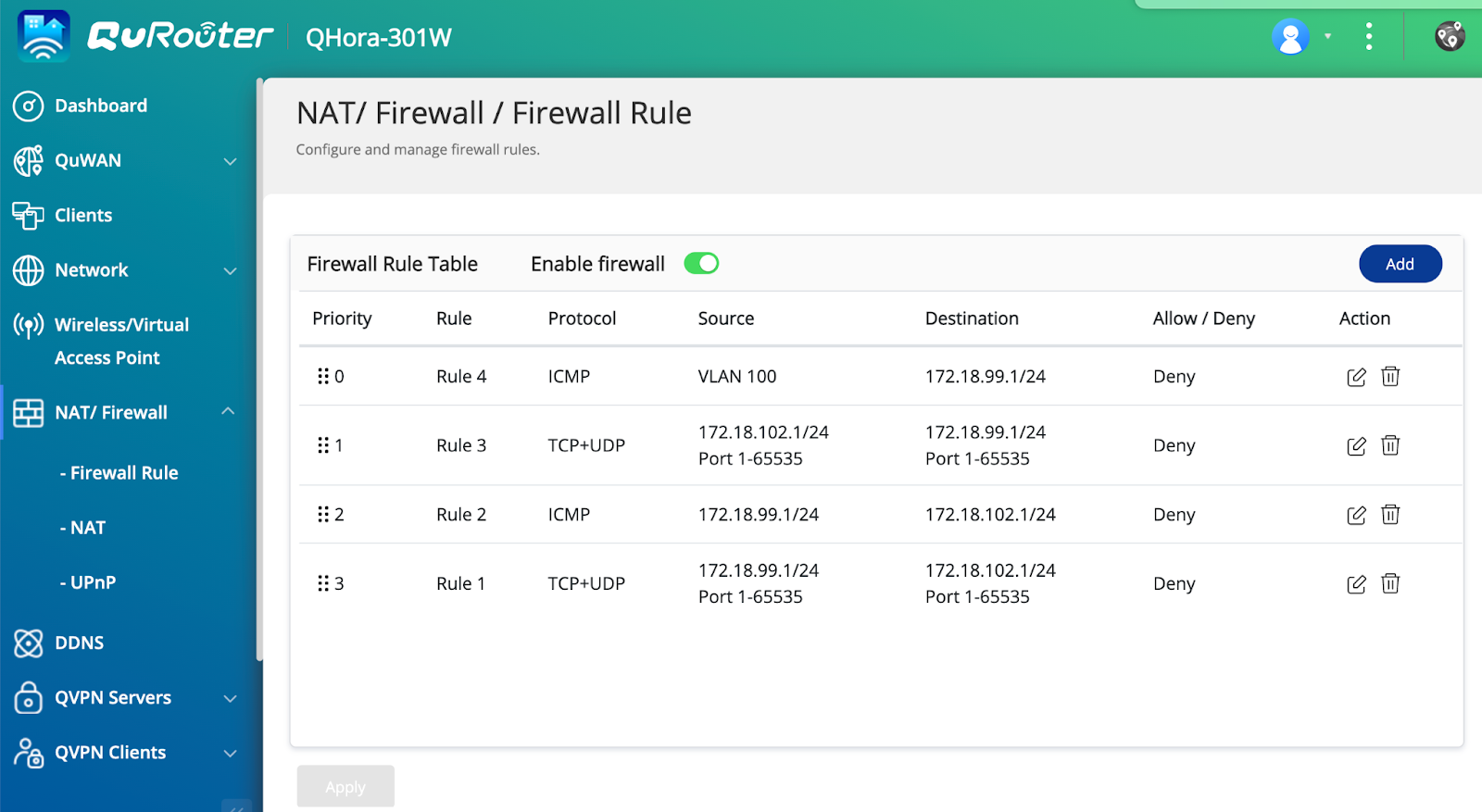
VAP1 as VLAN 1 with 172.18.99.1/24 and VAP2 as VLAN 100 with 172.168.102.1/24.
4. Connect to the created guest SSID, it should work as another guest network.
Still need help?
Post your question in QNAP Community. QNAP staff and experienced users will reply.


