


How can I exclude recycle bins in an HBS job?
Last modified date:
2024-04-10
Applicable Products
Hybrid Backup Sync
Instructions
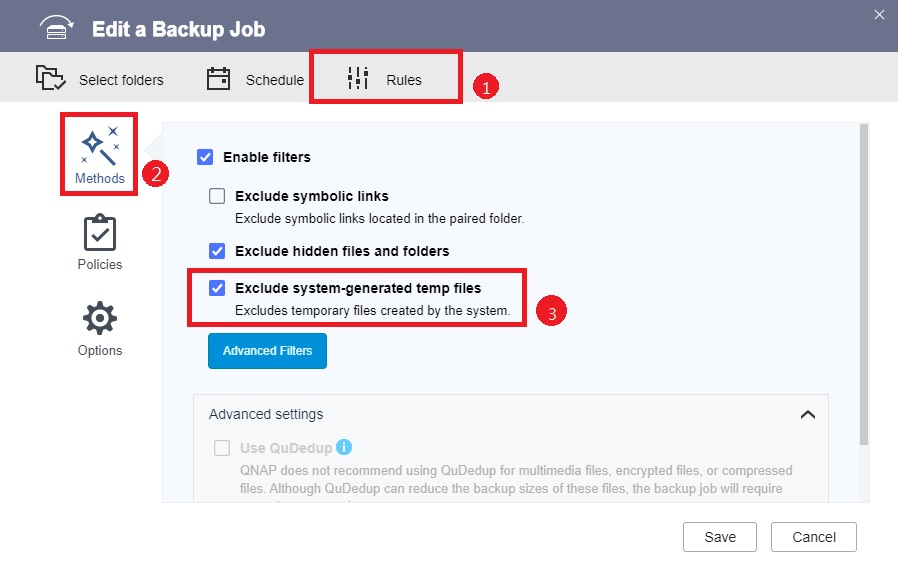
In Hybrid Backup Sync (HBS), you can exclude recycle bins in a backup or sync job by enabling Exclude system-generated temp files.
- Open HBS 3.
- Go to Backup & Restore or Sync.
- Identify and select a job.
- Click Edit.
The Edit window opens. - Go to Rules > Methods.
- Select Exclude system-generated temp files.
 Tip
- This setting is in the same location when creating a new job.
- This setting is selected by default when creating a new job.
- Click Save.
HBS 3 saves the changes to the job.
You can now run the job. Recycle bins in the source folder will not appear in the destination folder.
Further Reading
Still need help?
Post your question in QNAP Community. QNAP staff and experienced users will reply.


