2026 Must-Read Guide

Say goodbye to buyer's remorse

Why shouldn't your first NAS be an “entry-level device”? Revealing the truth about overlooked hardware expansion.

“Refusing secondary purchases” is the real way to save money. NAS should be a one-time, on-demand, scalable infrastructure.

Digital Asset Anxiety

Buy once and for all, or rent long-term? The real cost of storage you should know

Cloud rental

Google Photos / iCloud
Monthly payment, never truly owned. If your account is blocked, you lose everything.

NAS ownership

Completely self-owned
One-time investment, permanent ownership. Full control of your own data, not restricted by any third party.

Cost comparison

NAS is more cost-effective
Within 5 years, NAS costs are much lower than cloud subscriptions. Moreover, NAS can be used for 8+ years.

Hardware configurations to look for in a 2026 NAS

Hardware specifications determine how long you can use it

2.5GbE Network Speed

Recommended Specification
2.5GbE or above (or expandable to 10GbE)
Outdated Configuration
1GbE Not Up to Standard
1GbE will become a bottleneck in the Wi-Fi 7 era

Hybrid storage Architecture

Recommended Specification
Hybrid Architecture (HDD + NVMe SSD)
Outdated Configuration
Pure HDD Slot
Reading/writing small files and thumbnails will be extremely slow

AI Computing Power

Recommended Specification
Equipped with NPU or powerful iGPU
Outdated Configuration
No AI Acceleration Unit
Photo organization and video format conversion experience is poor

Memory

Recommended Specification
Starts at 4GB (expandable is best)
Overdue Configuration
2GB and soldered
Insufficient system cache, sluggish operation

Hidden pitfalls of entry-level models

Ease of use is just the beginning; limitations are the price

Network speed bottleneck

1GbE bandwidth limitation, even with home Wi-Fi 6 you can't fully utilize it. Upgrading to 2.5GbE or 10GbE is the real future.

Non-upgradeable

Many entry-level models have memory soldered onto the motherboard, making upgrades impossible. This means you're forever stuck with 2GB or 4GB performance limits.

AI feature missing

Without NPU or iGPU, facial recognition, smart albums, and 4K transcoding will be extremely slow. These features are becoming increasingly important for modern users.

Specification pitfalls

Some entry-level models on the market use processors from 5-6 years ago, with manufacturers simply changing the exterior and reselling them. Their performance is far lower than that of current-generation models.

Two recommended QNAP NAS

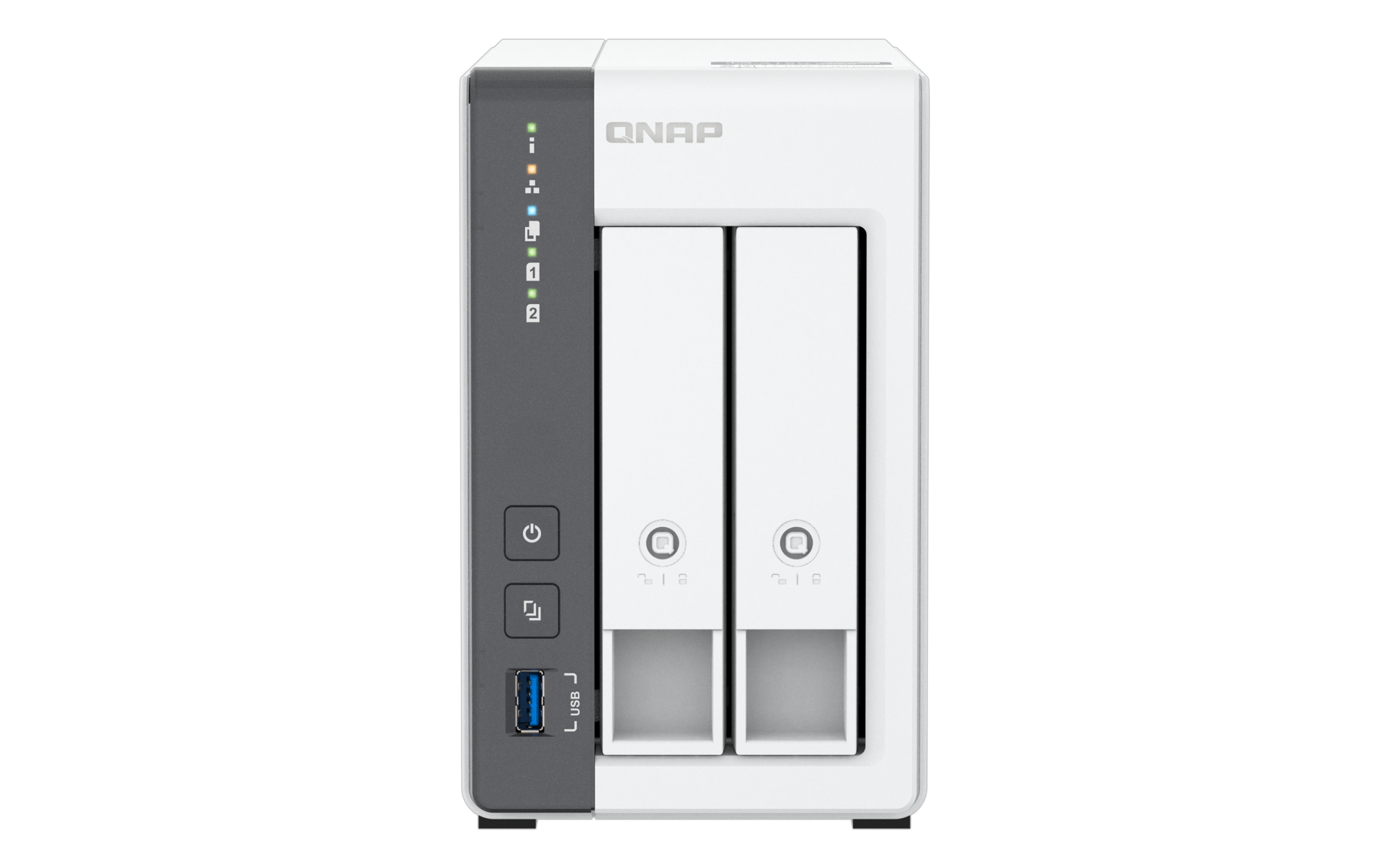
TS-216G
The High-Value Starter Choice
The starting point for rejecting secondary consumption
  • Rare NPU configuration - dedicated QuMagie AI acceleration
  • Standard 4GB RAM and 2.5GbE - competitors only offer 2GB
  • Mini server - smooth multimedia streaming and video surveillance management
  • Ideal for home backup and personal users
Rating 4.0/5 Excellent
PCMag (U.S.) 2024
Rating 9/10
RedesZone (Spain) 2024
Ultra cost-effective
T客邦 (Taiwan) 2025
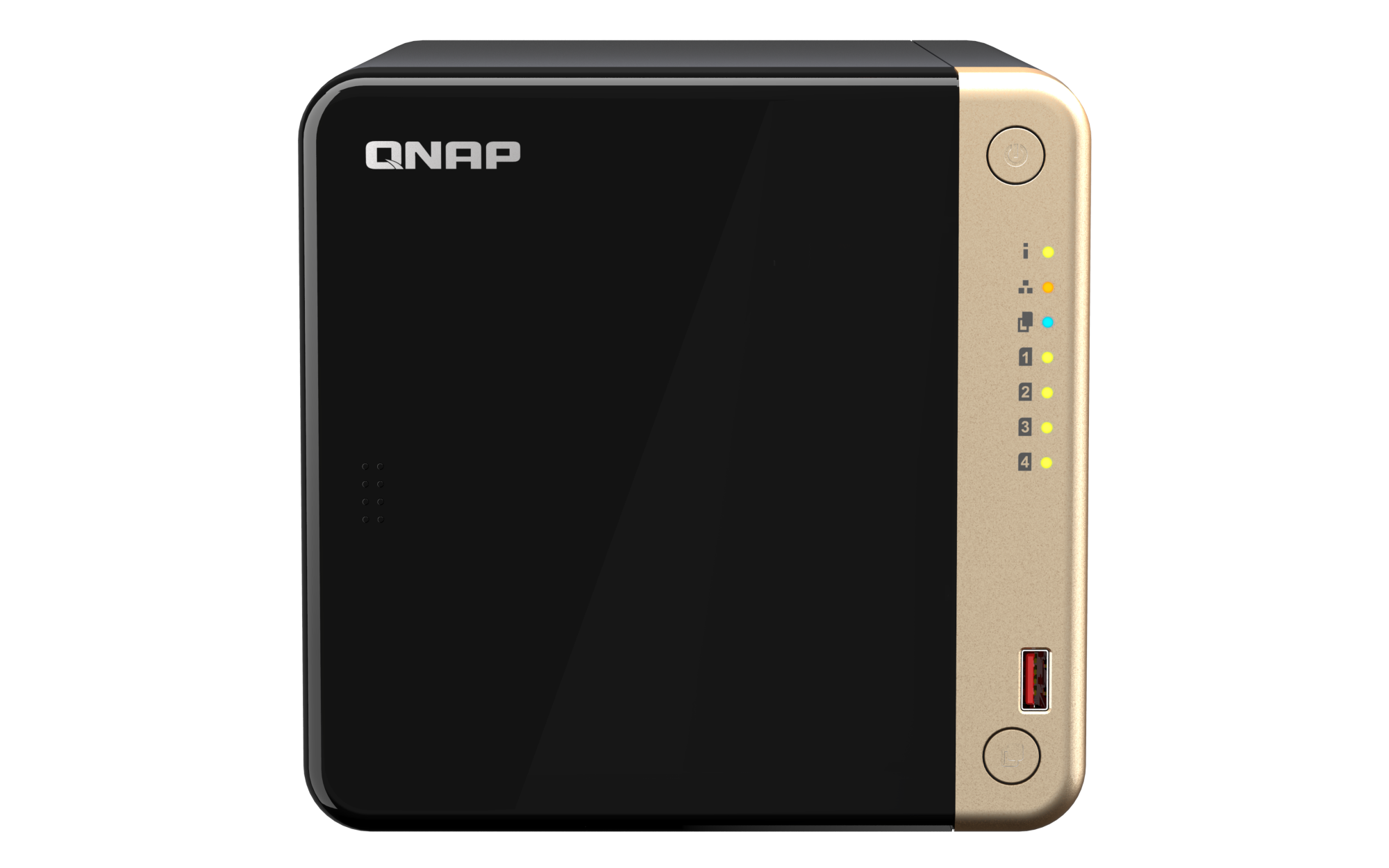
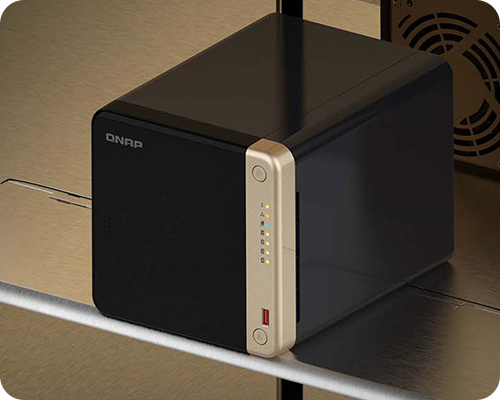
TS-464
The High-Performance Standard
The legendary device with 5 years of stable service
  • Intel integrated graphics (iGPU) - new model for 4K hardware video transcoding and compression
  • Ultimate expansion freedom - one PCIe Gen 3 slot, memory expandable up to 16GB
  • Space Utilization King - 4-Bay RAID 5 Structure
  • The ultimate choice for creators and advanced users
2025 TMC's CUSTOMER Annual Award
TMC 2025
2023 Best Home NAS
New York Times Wirecutter
CES Picks Awards
TechRadar Pro (U.S.) 2023

The TS-464's hidden superpower: QuTS hero Upgradeability

TS-464 supports OS seamless conversion to QuTS hero enterprise-grade system, unlocking advanced business applications

ZFS file system

End-to-end checksum verification for every read and write, auto-detect and repair silent data corruption

Snapshot Protection

Lightweight snapshot design allows for frequent creation and rapid restore of accidentally deleted files or ransomware attacks

Automatic data recovery

With RAIDZ redundancy architecture, ZFS can automatically recover damaged data blocks

Remote backup

Supports remote backup, incremental backup, and multi-version retention

Deduplication

Inline data deduplication - instantly identifies duplicate data before writing, saving Storage Space

Enterprise-grade security

Supports LDAP/AD integration, granular Permission control, audit logs, and encryption

Core advantages:

TS-464 is one of the few 4-bay NAS that can support QuTS hero conversion without interruption, meaning your investment won't be wasted due to business growth, but can be upgraded as needed.

AI superpower of TS-216G

Built-in NPU chip unlocks four major AI applications

Smart Album

Automatically categorizes photos and intelligently organizes them by people, location, and time

Smart Search

Search photos by content – automatically recognizes “cat”, “beach”, “sunset”

AI OCR text recognition and data extraction

Intelligently select text areas with a frame, extract content in one go, and quickly apply it to notes and data organization

Real-time object detection

Surveillance cameras automatically detect people, vehicles, pets, etc., and trigger alarms

Core advantages:

The TS-216G is one of the few home-grade NAS with a built-in NPU, which means you can enjoy smooth AI features even without an expensive GPU accelerator card.

TS-216G vs TS-464 Specifications Comparison

Specification Items TS-216G
CPU ARM Quad-core + NPU
Memory 4GB DDR4
Networking 1 x 2.5GbE RJ45
storage slots 2 Bay 3.5" HDD
AI Acceleration Built-in NPU chip
PCIe Expansion --
Maximum Memory 4 gigabyte
Power Consumption Approx. 6W
Application Scenarios Home backup, personal albums, light surveillance
Price Range Low to Medium

Hard-Earned Lessons from Photographers and Video Creators

Memory is the “soul of speed”

Be sure to upgrade RAM to 16GB (TS-464 supports this).

Architect’s tips

Under the NAS in Linux architecture, idle RAM will automatically be used for file caching. The more memory you have, the more likely frequently used materials will be kept in cache, making reopening them much faster and smoother.

Don’t expect to “remotely process RAW files”

Even if you have an upload bandwidth of 250Mbps, this is still a thousand times slower compared to the 5000MB/s of SSD.

Solution: Smart Previews strategy

Store the folders and smart preview files on the NVMe SSD (Volume 1) of NAS. When editing, only small preview files are read, while the original RAW files are securely stored in the HDD array.

FAQ Answer

Why are cloud services called “rentals,” while NAS is the true data owner?
Google Photos, iCloud, and OneDrive are essentially rental services—you pay a monthly fee to rent space, but you don't actually have true data ownership. If your cloud account is locked or the service price increases, your memories can be taken away just like that. With NAS, you have complete control over your own digital assets, without any restrictions from third-party platforms.
Is it difficult to set up a QNAP NAS? I'm not very tech-savvy.
Many beginners choose entry-level NAS to save money, only to find after a year that the system lags and facial recognition is as slow as a snail. In the end, they have to sell the old device and buy a new one. This is a classic case of "secondary spending." NAS should be a one-time, future-proof foundational facility, not an electronic consumable that becomes obsolete in two years.
Why do low-spec processors cause audio and video transcoding disasters?
Many entry-level models use Intel processors from six years ago or older, or AMD processors without integrated graphics. The lack of iGPU means that when playing 4K video on Plex or Emby, the CPU load will spike instantly, causing frequent stuttering. In comparison, the Intel iGPU in the TS-464 can easily handle 4K hardware transcoding.
Why is the memory size of NAS so important?
Memory affects the smoothness and multitasking capability of NAS. When performing backups, photo management, or multi-user access, having more RAM can reduce latency and improve operational smoothness. 4GB is sufficient for basic backups, but for AI applications or multi-user environments, 8GB or more is recommended for better performance. The more memory you have, the more noticeable the improvement in user experience.
Why do you need a hybrid storage architecture (HDD + SSD)?
A hybrid storage architecture means using SSD for system and application responsibilities, and HDD for large-capacity data. SSD provides fast read/write and real-time response, while HDD offers high capacity and cost efficiency. This division of labor can balance both performance and Storage Space, avoiding the entire system being slowed down by hard disk drives bottlenecks.
A NAS is a long-term investment, not a consumable.

In 2026, the logic for choosing NAS must shift from “just enough” to “future-proof.” The labor costs of data migration and hardware reconfiguration are far higher than the few thousand dollars saved at the beginning.

“Would you rather be troubled by insufficient space three years from now, or regret not buying a PCIe expansion slot back then?”

Take control of data ownership and start with a hardware decision you won’t regret.