Creating Snapshot Replica after QTS 5.1.8 / QuTS h5.1.8 requires enabling SFTP
Last modified date:
2024-08-26
Applicable Products
- QTS 5.1.8 and above
- QuTS Hero h5.1.8 and above
Details
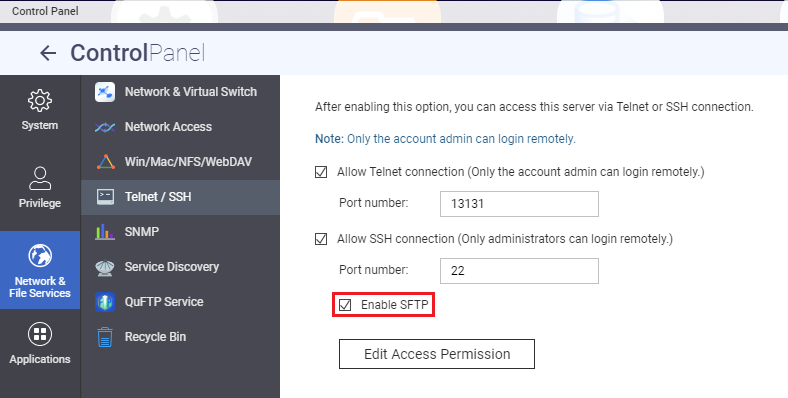
SCP uses SFTP as default on OpenSSH 9.8p1, hence it is necessary to enable SFTP on QTS 5.1.8 / QuTS Hero h5.1.8 and newer. The SFTP can be enabled from the NAS Control Panel > Telnet / SSH >
To enable SFTP:
- Log in to the NAS web admin and launch Control Panel.
- Navigate to Network & File Services > Telnet / SSH.
- Check the box for "Enable SFTP and click Apply.